.png)
🤖 A new way to work with warranty cases
Warranty case management is at the heart of aftermarket work — it's where the most time is spent, and where the most value can be unlocked. Cases can accumulate quickly. Patterns are easy to miss. And preparing for a site meeting often means scrolling through dozens of individual records. We've changed that.
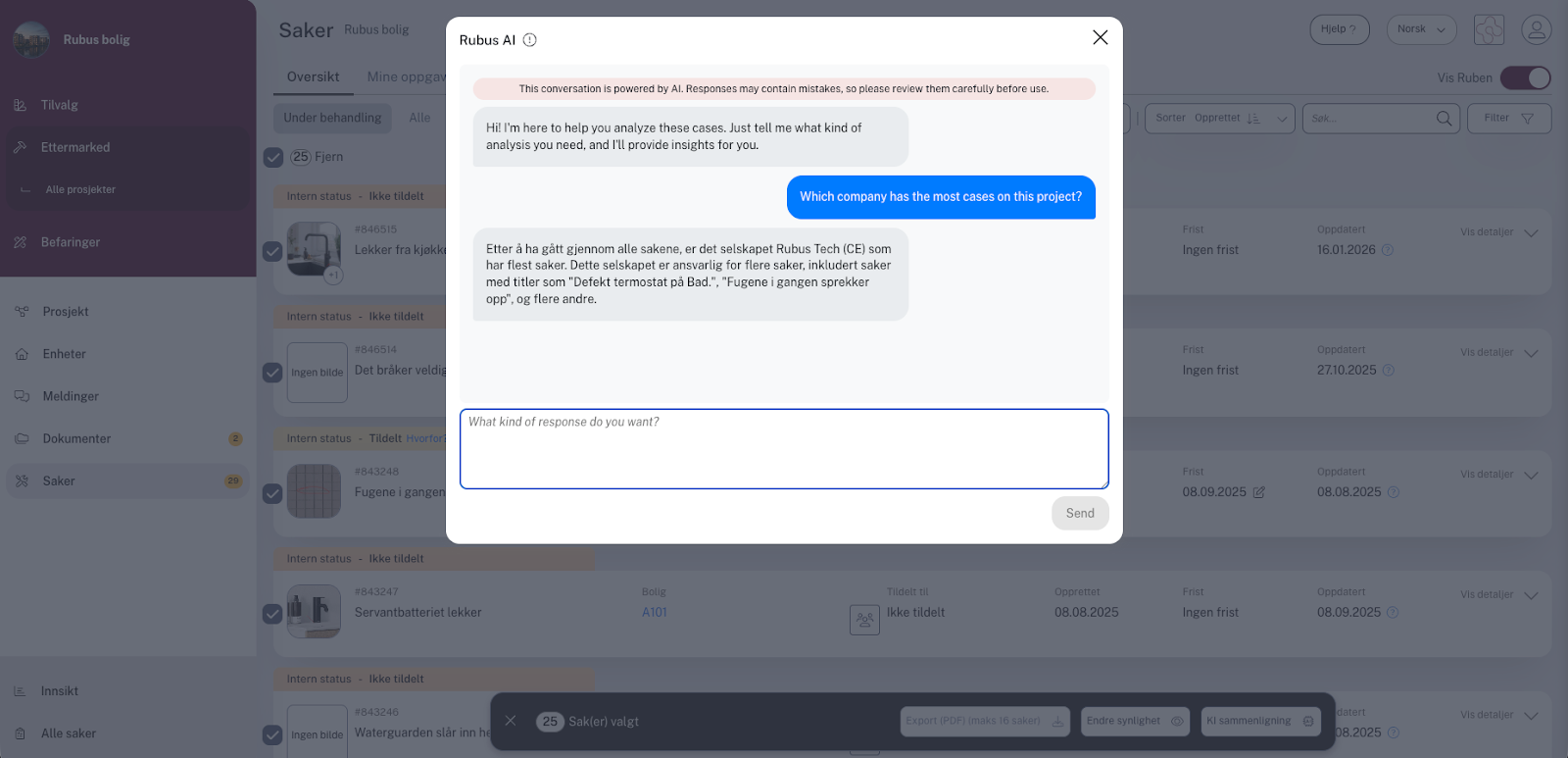
With Rubus AI can now analyse and compare warranty cases directly in the Warranty handling module — giving your team instant summaries, pattern recognition, and actionable insights across up to 50 cases at a time.
🛠️ What it does
The feature analyses warranty cases for newly built residential units based on the actual case content — titles, descriptions, internal notes, and chat summaries. You can select one case or up to 50, ask a question, and get a structured, human response back in seconds.
This isn't a generic chatbot. It's a focused AI trained to understand warranty cases in construction. It won't cite regulations or suggest policy decisions — it reads your cases and tells you what's going on.
"This function analyzes and compares warranty cases for newly built residential units based on detailed case data. It helps professionals understand and summarize cases, as well as derive insights from multiple case records at once." — Dag Ersvær, Chief Product Officer, Rubus
.png)
📊 What you can use it for
Here are the most common use cases from our team and early users:
Summarise multiple cases from one unit. A homeowner has filed eight cases. Instead of reading each one, select them all and ask for a summary — ready for your next call.
Prepare for site meetings. Condense 30–40 open cases into a one-page brief before a contractor meeting. Takes seconds, not an hour.
Identify recurring issues. Ask AI to surface patterns across cases — the same defect type, the same subcontractor, the same building section. Spot the root cause before it spreads.
Prioritise your workload. Quickly find the most urgent or high-impact clusters when the queue is long and time is short.
Prepare talking points. Got a difficult conversation coming up? Use AI to help frame the issues before you pick up the phone.
✏️ How to use it
Find the feature in Warranty handling → Cases, across all tabs in the overview and in My Tasks. Select one or more cases using the multiselect bar, then trigger the AI analysis. You can select up to 50 cases for AI comparison, or up to 16 for PDF export. You can enable the feature at company profile level (applies to all projects) or on individual projects. Talk to your customer success contact if you need help getting it activated.
📱 Built-in guardrails
The AI works with content by default — case titles, descriptions, notes, and chat summaries. Metadata like deadlines, owners, and statuses is available, but only if you specifically ask for it. This keeps responses focused and relevant. The AI always responds in the language of your last message, regardless of what language the case data is written in.
What's next
This is the first version. We're already looking at how AI can do more across the Warranty handling module — and across the full Rubus platform. If you have a use case you'd like to see supported, reach out to your customer success manager or drop us a message. We're always listening.
Made with love in rainy Bergen 🌧️